
Event Signup Software
Event registration that actually connects to your members, attendance, hours, and reports. Not just another form.
Stop using disconnected forms that go nowhere after the event.
What Is Event Signup Software?
Event signup software is a tool that lets organizations create public registration pages for events, meetings, and volunteer shifts. Unlike generic form builders, event signup software connects registrations directly to your member database, attendance tracking, and reporting. When someone signs up for your event, their data does not sit in an isolated spreadsheet. It flows into the rest of your organization's system automatically.
Helptivo makes event registration simple. You create an event with a title, date, location, and optional custom questions. Each event gets a shareable signup link that anyone can use with no account required. Members register in seconds from any device. Their information is automatically matched to existing profiles in your database, so you never end up with duplicate entries or disconnected data. You can set capacity limits, collect custom info, and close registration automatically when full.
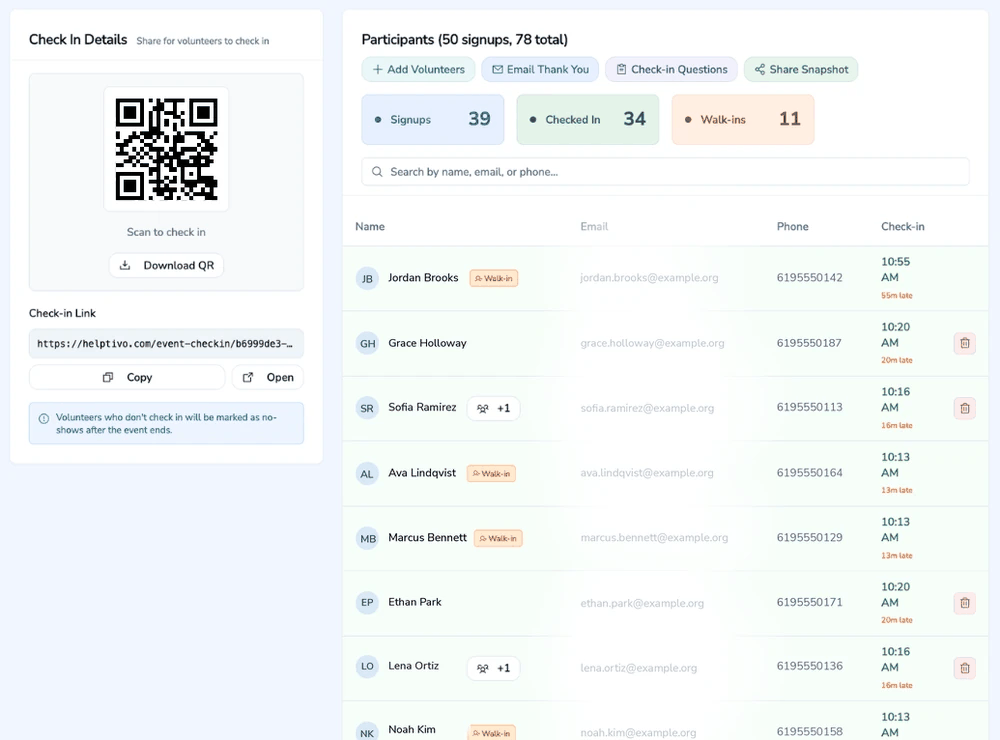
After registration, the data keeps working. Signups connect to QR code check in, automatic hour logging, and impact reports. When someone who signed up checks in at the event, their attendance is recorded and hours are calculated. After the event, you can email attendees directly, view participation on their profile, and export everything for reports. The entire flow from signup to report is connected and automatic.
The Problem With Traditional Event Signups
Most organizations use Google Forms or disconnected signup tools that aren't linked to attendance, member records, or reporting.
Missing Attendee Data
Google Form responses sit in a spreadsheet, disconnected from member records.
Duplicate Entries
No deduplication means the same person signs up multiple times.
No Automation
No automatic confirmation emails or attendance linking.
Poor Follow-Up
After the event, there's no easy way to follow up with attendees.
All Features Included
Members, events, attendance, email and impact tracking, in one place.
Set up events with a title, date/time, duration, location, description, and optional cover image.
Each event gets a shareable link where people can register with their name, email, and phone. No account needed.
Add custom questions to your sign up form (text, dropdown, checkbox) to collect extra info at registration.
Set a maximum number of sign ups. The form automatically closes when capacity is reached.
Create recurring event series (weekly, biweekly, monthly) and manage all sessions from one place.
Cancel an event and optionally notify all registered participants via email.
Restrict an event to only members with a specific flag. Others cannot see or sign up for it.
Toggle whether an event appears on your Public Page for visitors to discover and register.
From Signup to Report, Connected
When someone signs up for your event, their data flows through the entire platform:
Frequently Asked Questions
How is Helptivo different from Google Forms for event signups?
Do attendees need to create an account to sign up?
Can I set a capacity limit for my event?
Can I collect custom information during signup?
What happens to signup data after the event?
Create event signups that actually work
Registration connected to your members, attendance, and reports. Free to start.
Create your free account